
1. Understand this source edition
One facilitator guides ten fictional scenarios with four updates each. Response choices change the authored narrative. Reports contain your entered notes, fictional consequences and action owners; they do not assess a real system or certify readiness.
A technical Python developer or team is recommended for installation. Linux/Python3.13 and Google Chrome were checked. Other operating systems, browsers, actual gateways and physical PWA installation need buyer qualification.
This deterministic application needs no model, API key, SAP account or external vendor service. BYOM does not apply. It includes no account database, named-user SSO, concurrent editing or server notes endpoint.
Verify your download before extraction
When an eligible release becomes available in your account library, download cyber-rehearsal-1.0.0-source.zip and cyber-rehearsal-release.json. Obtain the Store public key and its SHA-256 through an independently trusted ProgreTech channel; a digest copied from an untrusted archive is not a trust anchor.
Use the verification helper below in a separate Python environment. It validates the Ed25519 signature and the entire archive digest/size before you extract or run source. It does not establish suitability, licensing or safety of your deployment.
The Store public-key fingerprint published24October2026 is 4e5e4ebe1b63ce56adb4db144e754ca0e3a7cfe365714ea799249cc9814deacc. Independently confirm this value before trusting a downloaded key.
python3 -m venv verify-env
verify-env/bin/python -m pip install cryptography==50.0.2
verify-env/bin/python verify_release.py --trusted-key store-release.pub --key-sha256 INDEPENDENTLY_CONFIRMED_KEY_SHA256 --manifest cyber-rehearsal-release.json --archive cyber-rehearsal-1.0.0-source.zip
Download the standalone Python verification helper
Download the public verification key (confirm its fingerprint separately)
Verification needs no Store API key, private signing key or account password. The helper itself must come from your trusted Store distribution. Package installation requires your approved package source.
2. Obtain and verify an eligible release
Purchases remain closed during Store acceptance. When released, obtain source and signed release metadata from your ProgreTech account library. Verify the Store signature using the separately trusted public key, then compare the entire ZIP SHA-256 before extracting into a new directory.
Preserve LICENSE.md, THIRD-PARTY-NOTICES.md, sbom.spdx.json and the original archive. The internal-use perpetual source license and dependency rights are separate. Native CodeSeal signatures identify supported source fingerprints; the Store envelope binds the complete archive.
3. Start a local synthetic rehearsal
Use a new directory and Python virtual environment. Install the full hash-locked dependencies. No source-system configuration is needed. The developer server binds loopback; keep it local.
Open http://127.0.0.1:6191 and read The field guide, including captioned guidance and transcripts. Environment examples are documentation and are not loaded automatically.
python3 -m venv .venv
.venv/bin/python -m pip install --require-hashes -r requirements.lock
.venv/bin/python main.py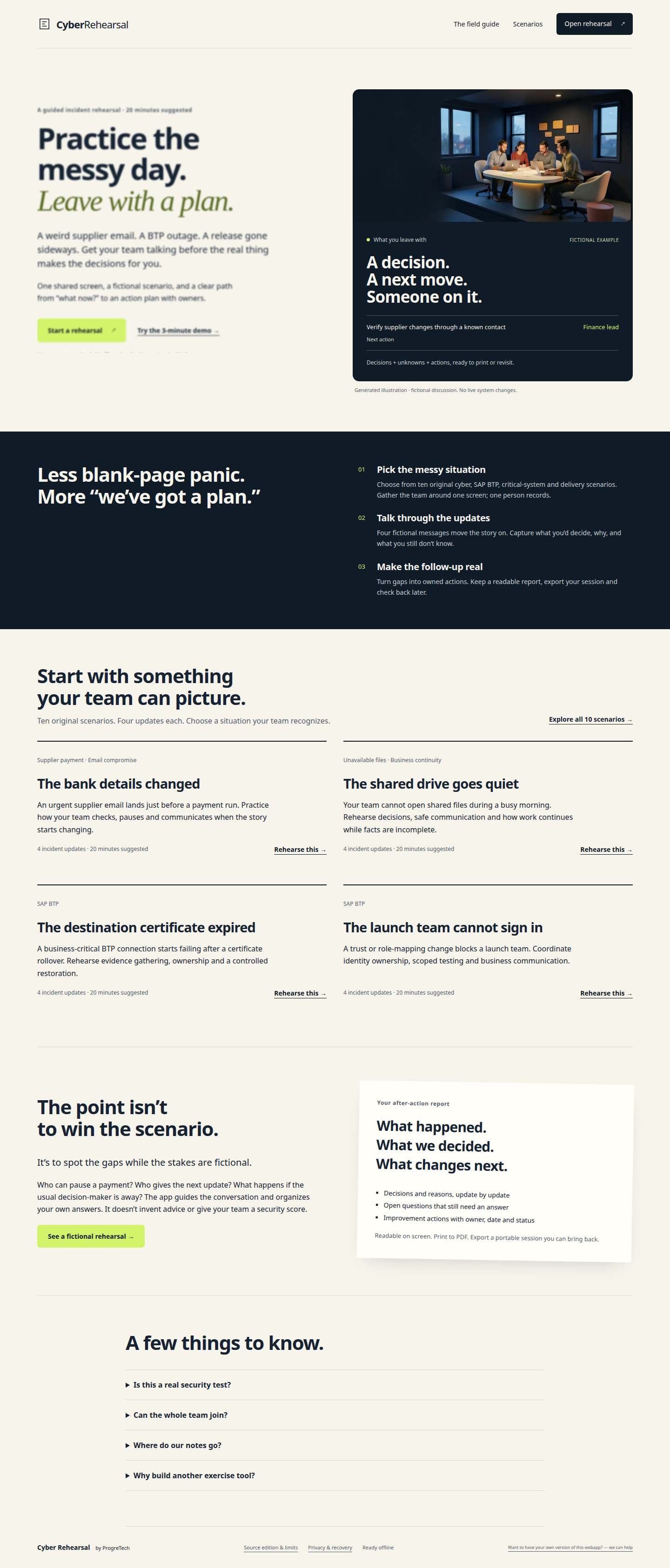
4. Discuss evidence and make a record
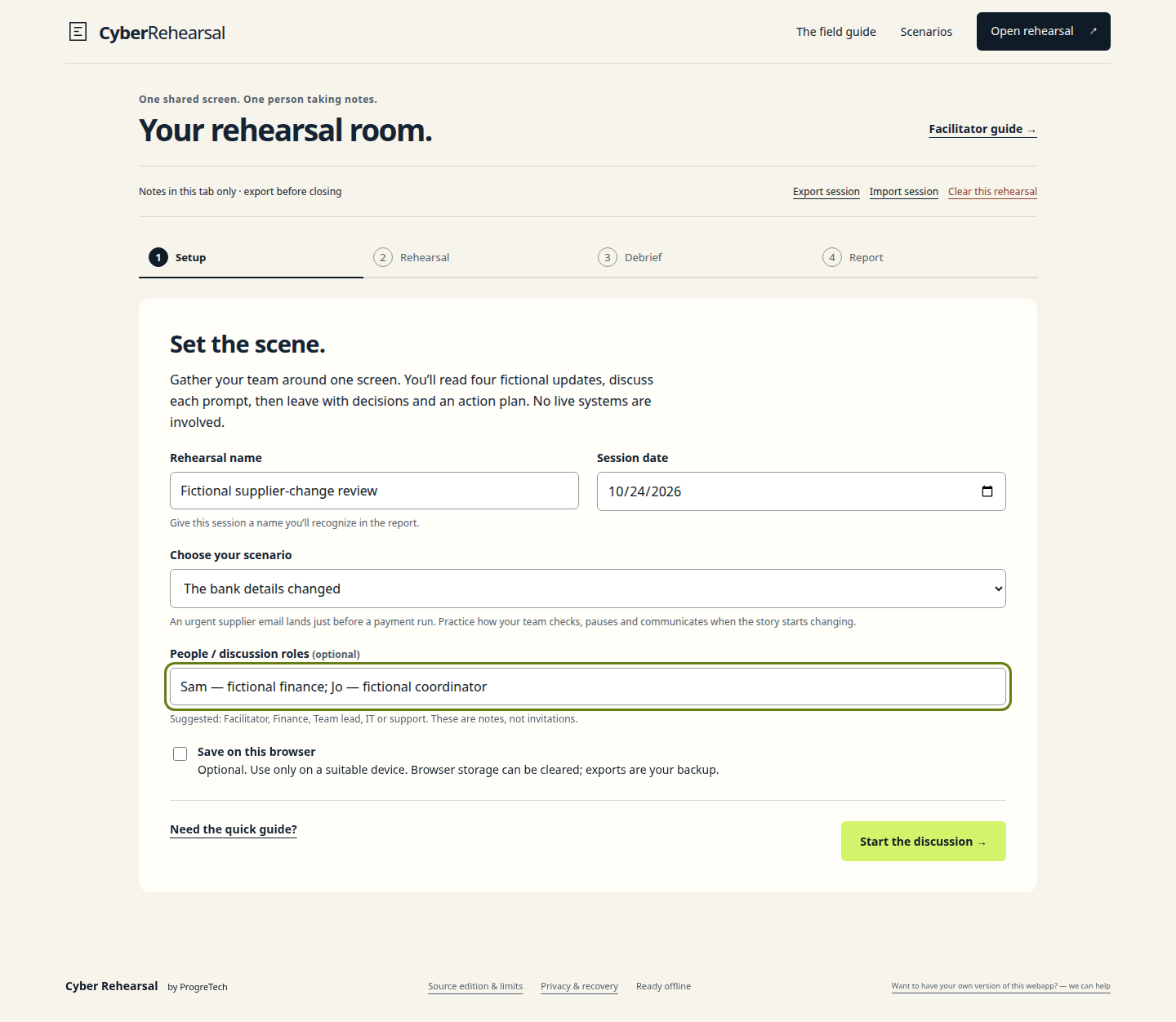
Open rehearsal. Name it Fictional supplier-change review and choose The bank details changed. Keep browser saving off. Use fictional names such as Sam and Jo.
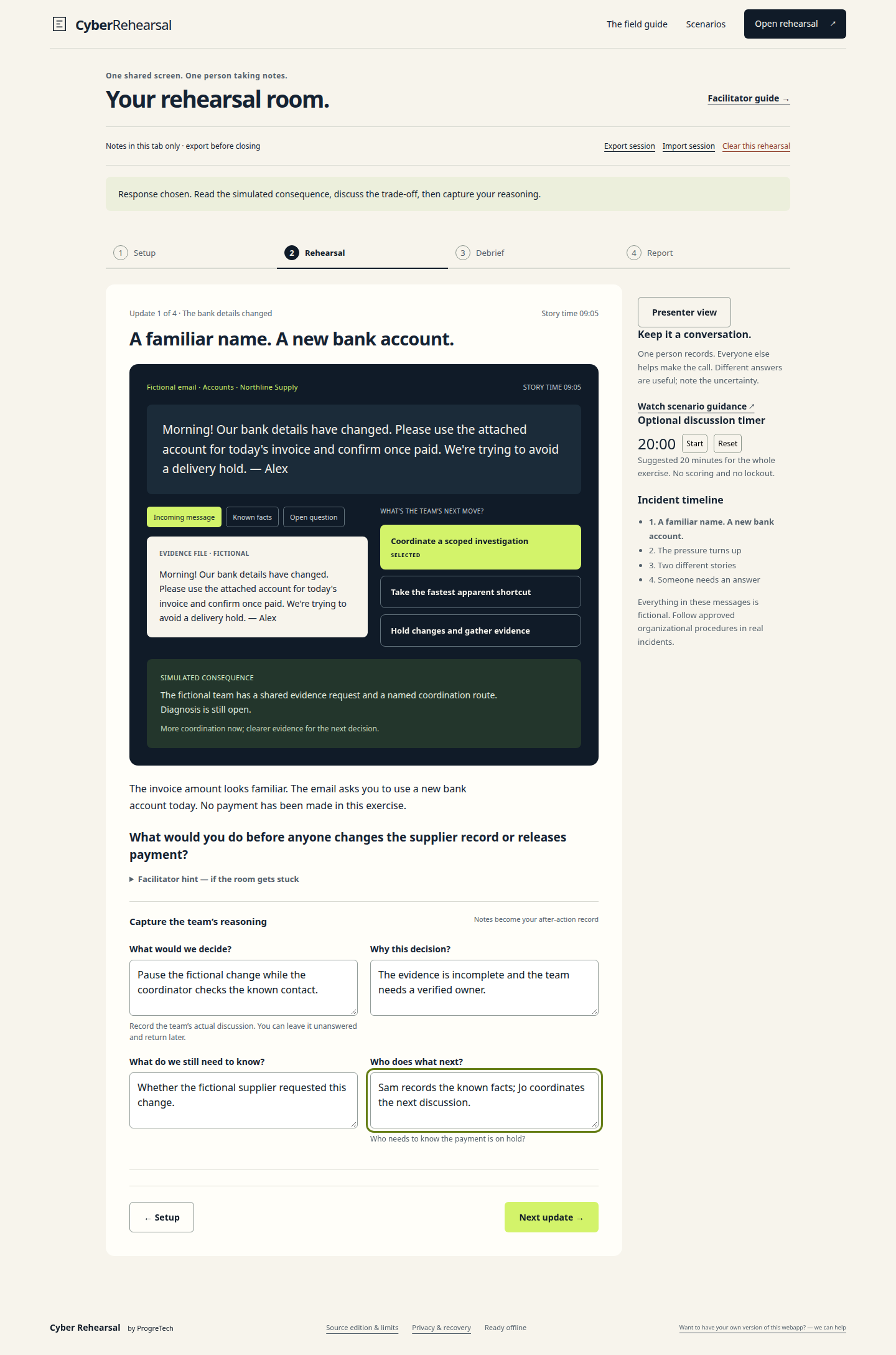
Start the discussion, inspect the fictional alert, choose Coordinate a scoped investigation and read its simulated consequence. Record: Pause the fictional change while the coordinator checks the known contact. Add your reason, unknowns and next follow-up.
Continue through four updates. Presenter view hides note forms for the shared screen; Show facilitator notes restores them. Changing an earlier response asks before clearing dependent notes, debrief and actions. Export first to preserve alternate branches.
5. Build, export and restore
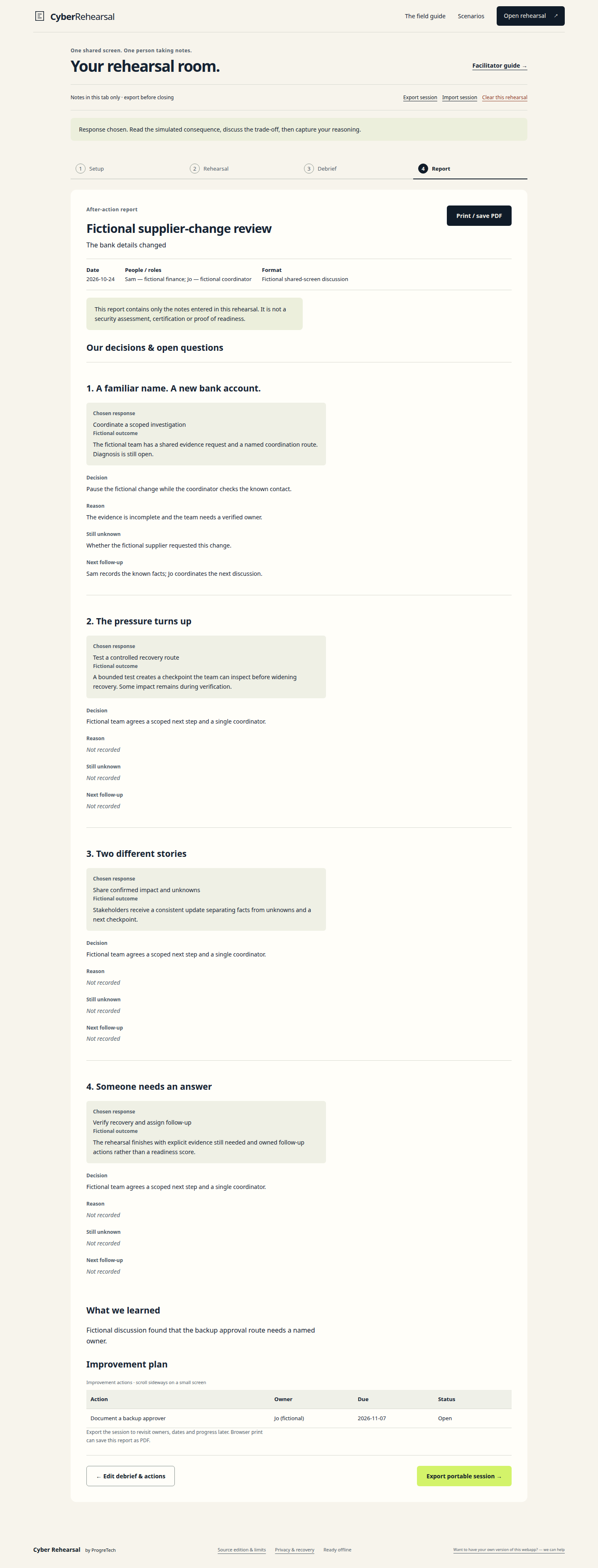
In Debrief, record a lesson and Add an action: Document a backup approver, fictional owner Jo, a future due date and Open status. Build our report and check decisions, missing details and action ownership.
Print/savePDF through the browser or Export portable session for editable version1 JSON. The app sends neither notes nor exports to its server. Exports are unencrypted meeting records under your control.
Import into a separate browser context to test restore. Imports are limited to512KB and validated before replacement. Enable Save on this browser only on a suitable profile. One origin/profile shares one saved draft, and tabs do not coordinate writes. Export before switching users or closing work.

6. Prepare offline access
The first visit needs the server. Wait for preparation, reload once and confirm Ready offline. Public shell, scenarios and guidance are cached; notes are held in memory or opt-in localStorage. Confirm actual offline use on the intended device before relying on it.
A prepared offline app remains accessible after an external gateway logout or revocation. Immediate central revocation requires a separately reviewed caching change. Browser eviction or private browsing can remove saved data. Keep governed JSON backups.
Updates wait for open sessions. Export, close every app window and reopen before checking the new worker. Clearing this rehearsal does not erase downloads, screenshots, backups or unrelated caches.
7. Configure your own deployment
PUBLIC_ORIGIN is blank by default. Set your own HTTPS hostname to emit canonicals, sitemap links and HSTS. It does not provide TLS or authentication. CYBER_ACCOUNT_URL optionally adds a buyer-owned HTTPS portal link; it is navigation only.
For remote use, run an unprivileged Gunicorn process behind your own HTTPS reverse proxy on a dedicated hostname root. Restrict access with your independently validated identity-aware gateway when required. Expose only the proxy, and review offline revocation limits.
The included generic Dockerfile is a recipe, not a qualified cloud or container deployment. No cloud account, vendor connector, populated credentials or service binding is shipped.
.venv/bin/gunicorn --bind 127.0.0.1:8080 --workers 2 main:app8. Validate, back up and upgrade
Eight server tests and26 independent Chrome browser groups passed on the source candidate. The signed staging tree repeated all eight tests. This covers synthetic workflows, state recovery, imports, reports, captions/video ranges, mobile layout and prepared offline use; it does not qualify your gateway or modified deployment.
Back up source/configuration separately from exported notes. There is no server application database. Test JSON import in a separate profile. Install upgrades in a new directory/environment, keep the old release for rollback, export active drafts, and verify cache-version and schema compatibility before switching.
If scenarios fail, reconnect to the server and check /health. If saving fails, export tab work before changing storage. Rejected imports preserve current work. If the old worker remains, close all windows after export and reopen.
Support and updates apply only when explicitly included in purchase terms. Send a nonsecret order reference and minimal synthetic reproduction to info@progretech.com; preserve third-party notices.