
1. Choose your Order Desk workspace
Order Desk 0.1.0 includes a searchable service catalog, browser-owned carts and requests, exact quotes, coupons, availability reservation, operator fulfillment history and JSON exports. The order-classic layout and English, Spanish and Japanese controls are retained.
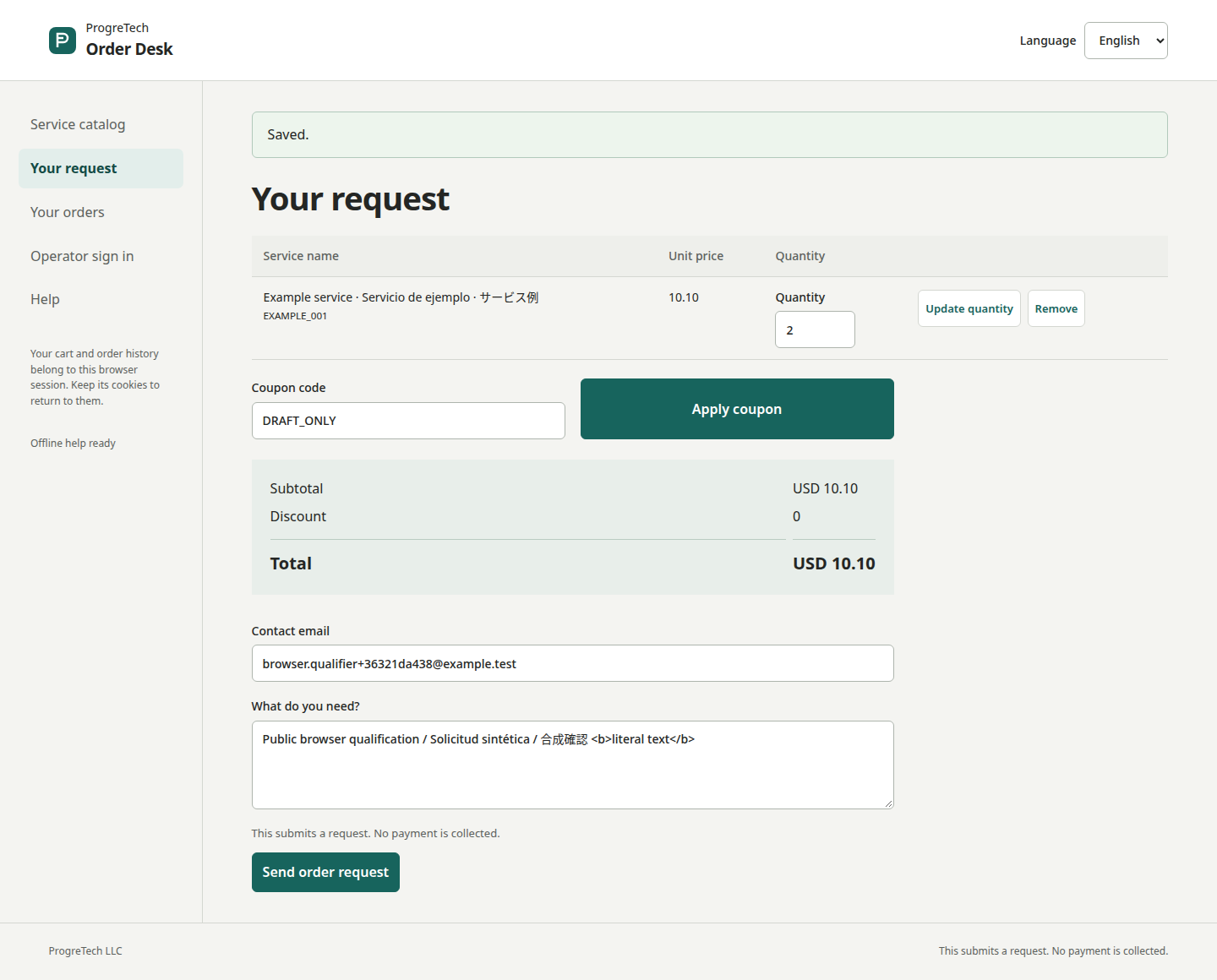
Your source installation serves one business with private persistent data and a named operator. Customers retain access through their browser cookies. The company-hosted guest companion is a separate temporary workspace; its screenshots show sample service data.
2. Verify and install privately
Verify the downloaded archive and release metadata with the Store helper and public key before extraction. Confirm the key fingerprint through a separately trusted ProgreTech channel. Use Linux CPython 3.13 with venv support and a dedicated runtime owner. Keep the live SQLite directory outside the source tree, with directory mode 0700 and files 0600.
From the extracted source folder, install the supplied hash-locked runtime and initialize a new external state path. Initialization prompts for an operator password of at least 14 characters. Run one Gunicorn worker on loopback; retain the same environment, working directory and data path under your process supervisor.
python3.13 -m venv .venv
.venv/bin/python -m pip install --require-hashes --only-binary=:all: -r distribution/requirements.runtime.lock
export ORDER_DESK_DATA="$HOME/.local/share/order-desk/state"
.venv/bin/python main.py init --data "$ORDER_DESK_DATA" --username operator
.venv/bin/python -m gunicorn --bind 127.0.0.1:8080 --workers 1 --threads 2 'app:create_app()'3. Complete your first request
As operator, add active service REVIEW at USD 10.25 with availability 8. Create coupon TEN with percentage 10, UTC validity and a usage limit. In a separate customer browser, add quantity 3 and apply TEN: subtotal 30.75, discount 3.08 and total 27.67. Enter contact email and a brief, then submit. Retrying the same customer/submission key returns the existing request.
Move the request through requested, accepted, in_progress and completed, or cancel from a permitted nonterminal state. Each change checks the previous status and records actor/time. Cancellation restores availability once; coupon use remains consumed. USD/EUR use two decimals, JPY whole yen, and each cart has one currency. JSON export is an order report. Order Desk collects requests; it does not collect payments.
4. Use a coding agent for setup
On your Windows, Ubuntu or macOS control computer, check Node.js LTS/npm, opencode --version and Ollama. OpenCode 1 and 2 share the command: preserve a working V2 or compatible coding agent. For a new V1 installation, use npm install -g opencode-ai. Use Ollama 0.15 or later with an approved tool-capable local model, at least 64k context and enough memory. Follow the official OS installers; Windows may use the documented WSL route.
Open PowerShell on Windows or Terminal on Ubuntu/macOS in the extracted source folder and run ollama launch opencode. Confirm the provider is local, ask the agent to open main.py and show a short nonsecret excerpt, then review its plan, diff and commands. Keep existing settings and require authorization for downloads, external providers or paid services. Plain ollama run accepts sanitized pasted text; use it only as a chat/manual-patch fallback.
Premade prompt: Read docs/en/technical-specification.html, main.py, app/main.py, tests/test_app.py and docs/en/buyer-cookbook.md. Prepare my private Linux setup and external state. Preserve exact prices, signed quote rechecks, coupon limits, transactional availability, idempotency, customer ownership, operator CSRF and status history. Keep contacts, passwords and private database data out of prompts and Git. Return a small diff, exact commands and backup/fresh-restore/rollback checks. Keep loopback and my approved SSH tunnel. Ask before provisioning or paid use.
node --version
npm --version
opencode --version
npm install -g opencode-aiollama --version
ollama list
ollama launch opencodeOpenCode installation and version choice
Run npm install -g opencode-ai only for a new OpenCode 1 setup after checking the existing version. Keep a working OpenCode 2 or other compatible agent.
5. Use a persistent VM and SSH tunnel
Order Desk buyer hosting: one persistent Linux VM on Hetzner Cloud, AWS EC2/EBS, Azure VM/Managed Disk or Google Compute Engine/Persistent Disk; access the loopback app through an approved SSH tunnel.
Choose the buyer account, region, disk, backup storage and budget first. Create one Linux VM, restrict SSH to approved administrator addresses, install supported CPython 3.13, copy verified source and follow the private runtime recipe. Keep port 8080 closed publicly. The source enforces loopback hostnames and addresses; keep LOCAL_ONLY enabled. Use your OS OpenSSH client and verify the server fingerprint.
Replace VM_USER and VM_IP with your actual buyer VM details, keep the tunnel open and visit http://127.0.0.1:8080 in the browser that owns the customer session. Store encrypted backups separately from the VM disk and rehearse recovery before real requests. These buyer profiles do not change ProgreTech company hosting.
ssh -N -L 8080:127.0.0.1:8080 VM_USER@VM_IP6. Back up and restore to a new path
Back up the database and session key together with the real CLI. Backup and restore destinations must be new paths; existing files or directories are refused. Keep 0700 directories, 0600 files, restricted retention and encrypted off-machine copies. JSON export is a report, not a restorable backup. Stop writes for a planned cutover and retain the old source/state pair.
Recovery preserves session.key so customer browser ownership survives, and removes operator tokens so the operator must sign in again. This is operator-session revocation, not root-key rotation. Start the same source against the restored path, verify catalog, exact totals, both role boundaries, history and exports, then switch ORDER_DESK_DATA. First-release rollback reopens the retained same-source/state pair after backup; incompatible future schemas need a separate migration.
.venv/bin/python main.py backup --data "$ORDER_DESK_DATA" --target "$HOME/.local/share/order-desk/backup-001".venv/bin/python main.py restore --data "$HOME/.local/share/order-desk/backup-001" --target "$HOME/.local/share/order-desk/restored-001"7. Keep access, BTP scope and terms clear
The operator manages the shared catalog and orders with a password and expiring server token. Customers see requests owned by their browser session; clearing cookies removes that access. Mutations require CSRF. Open the public help in your chosen language while connected before going offline. Keep operator browsers private and do not put contact details, passwords or backups into model prompts.
The buyer packet retains numbered SAP BTP planning references for identity, Destination/OData, durable data, events and optional model assistance. Keep existing SAP guidance when extending the app. The optional BTP runtime is a separate implementation; this edition includes planning guidance. Model usage, vendor licenses and service procurement remain the buyer’s responsibility. Optional manual guidance follows the same reviewed commands without an AI agent.
The accepted English ProgreTech source agreement governs the purchase; Spanish and Japanese copies are informative translations. Retain reasonable ProgreTech attribution and all required third-party notices. Consult the complete included buyer cookbook and release metadata for your exact edition.