
1. Verify your base license and Carbon package
Carbon 0.1.0 is one optional presentation theme for PT Supply Analytics 1.1.1 and requires its base source license. The Carbon package contains a complete named newer Source Supplement: 127 unchanged core files under flask/, plus the Carbon entry point, presentation and buyer material. Keep your original purchased 95-file base archive and private data; install Carbon separately instead of copying it over the base.
Download the signed archive and release metadata from your purchased-source library. Confirm the Store public-key fingerprint through a separately trusted ProgreTech channel, then verify the release signature, SKU, compatible parent version and archive hash before extracting. The included integrity/codeseal.json identifies this source with native CodeSeal PTCS-66BB7CD4277B5BF3.
2. Prepare your coding assistant and Linux runtime
Open docs/en/README.md, docs/es/README.md or docs/ja/README.md in the extracted Carbon folder. The linked flask/docs/<language>/implementation.html provides the Windows, Ubuntu and macOS coding-CLI setup. Use an approved coding agent that can read and edit project files, and give it the included Carbon-specific prompt. Manual implementation guidance is also included.
Run the application on Linux amd64 with CPython 3.13 and its pinned dependencies. Windows and macOS can be your coding-assistant and SSH clients. Keep credentials, private rows and model keys out of prompts. A plain model chat cannot inspect your project folder unless its coding tool provides that access.
3. Start a separate private installation
From the Carbon source root on your Linux runtime, create its environment and an external private data directory, then start the root main.py. Use a clean shell without inherited PT_* configuration from another Supply installation; the Carbon wrapper refuses the conflicting settings listed in the included setup guide. Do not start flask/main.py.
Open http://127.0.0.1:5057/overview on the runtime host. For an approved remote client, forward that loopback port over SSH. The development server stays private. For a protected configuration file, follow carbon-config.example.json and main.py --config with an external owned 0600 file; keep the session key stable and private.
python3.13 -m venv .venv
.venv/bin/python -m pip install -r requirements.txt
install -d -m 700 "$HOME/.local/share/pt-supply-carbon"
.venv/bin/python main.py --data-dir "$HOME/.local/share/pt-supply-carbon" --port 5057
ssh -L 5057:127.0.0.1:5057 user@your-linux-host4. Preview data and use the Carbon workspace
In the data-sources view, download the populated template or prepare a CSV/XLSX with the exact field dictionary. Select the file, inspect validation and row counts, currencies and supplier IDs, then explicitly activate the validated rows. Preserve leading zeros and check totals before using your business data.
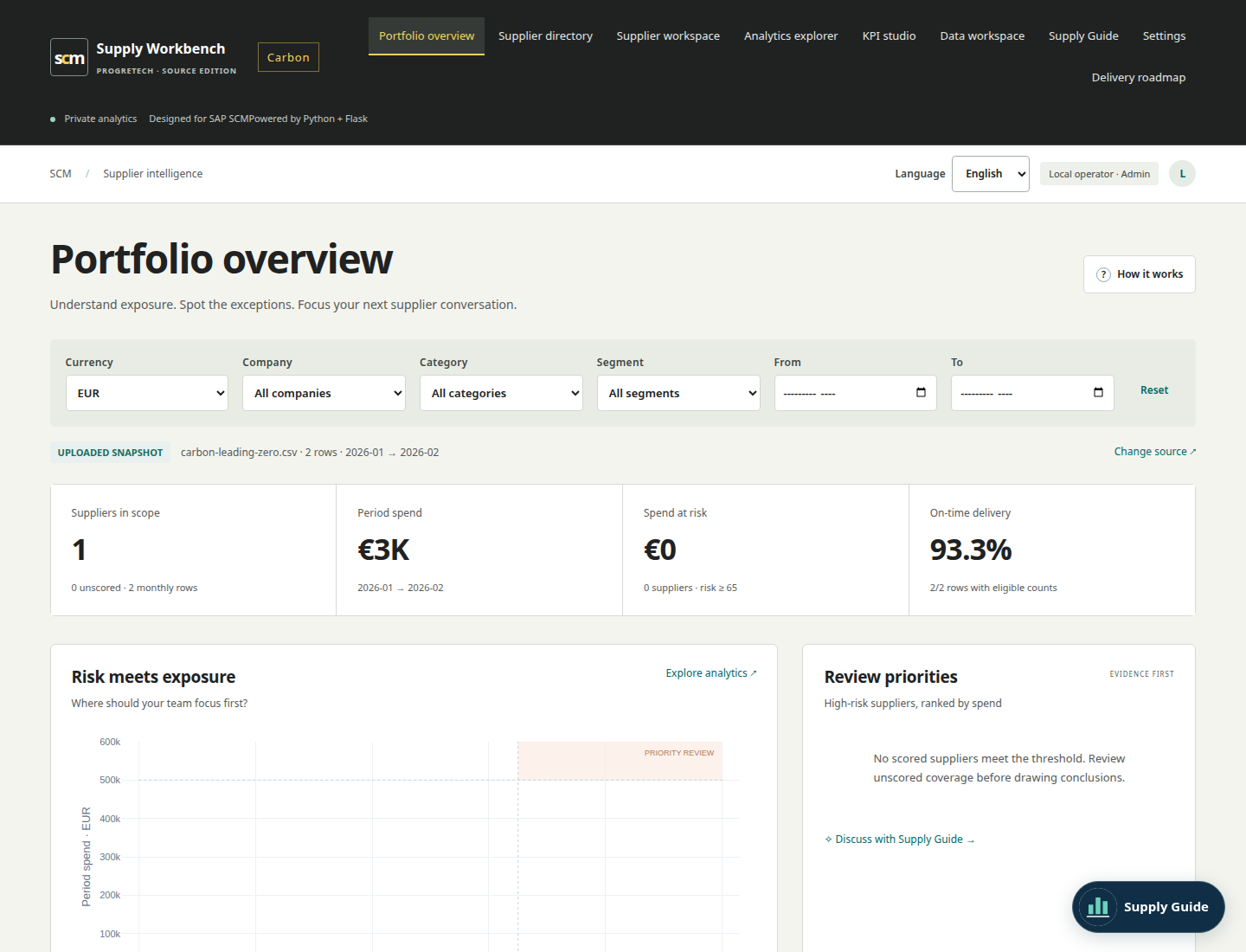
Carbon retains the nine working views, analytics, supplier profiles and scorecards, review history, KPI Studio and workbook export. Inspect the overview, save a supplier profile or scorecard, define a supported KPI and export the workbook. Switch EN/ES/JA while keeping the selected file and current form input. Supply Guide has a deterministic mode; model consultation is optional and needs your explicit consent and endpoint configuration.
5. Choose your own hosting profile
The included deployment guide covers buyer-owned Hetzner, AWS EC2, Azure Virtual Machines and Google Compute Engine. Production access uses the original authenticated loopback gateway/proxy profile, exact HTTPS origin, verified user/admin identities and CSRF controls. Keep the backend private and secrets outside source. The shipped manual uses its own flask/ paths; Carbon starts through the root wrapper.
Try the separate hosted Carbon companion to explore the interface. Its temporary guest workspace is not your purchased source installation, private database or identity service. Follow the included enterprise guide for your own authorized SAP/OData or model connection.
6. Back up, restore and return to the base
Read docs/<language>/adoption-and-recovery.md. Stop application writes before backup. From the Carbon root, use the preserved flask/manage.py tool with PT_DATA_DIR set for that command only. Choose a new backup path; the tool refuses an existing target. Keep the stable session key separately protected.
Restore a trusted backup into a fresh external 0700 directory using the included operations procedure. Retain the same local operator identity or verified gateway subject, restart root main.py from a clean shell and check datasets, totals, profiles, review history, KPIs and export. To return to the original base, use its retained 95-file source, dependency lock and a fresh restore of the pre-adoption backup. Preserve later Carbon writes for reconciliation. Separately configured PostgreSQL uses database-native recovery procedures.
PT_DATA_DIR="$HOME/.local/share/pt-supply-carbon" .venv/bin/python flask/manage.py backup --output "$HOME/pt-carbon-backup.sqlite3"7. Keep the license and component boundaries
Your accepted ProgreTech source agreement applies. Keep reasonable ProgreTech attribution and required third-party notices. Carbon includes one theme and its named Source Supplement; the independent optional SAP BTP component has its own purchase, prerequisites and cookbook. This Carbon installation combines the standalone core and Carbon only, while retaining the original SAP/OData guidance.
Carbon product and current price